
|
Getting your Trinity Audio player ready...
|
Imagine, you wanna greet a classroom of 50 students, one at a time. Exhausting, right?
In coding, that’s what writing the same task over and over feels like.
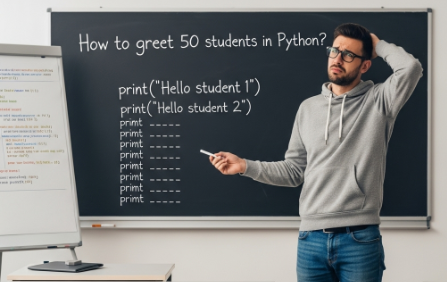
Now imagine if you had a smart assistant who says,
“Tell me once, and I’ll do it 50 times — no complaints!”
That’s exactly what loops do in Python.
Whether you want to:
- Print your name 10 times (just for fun 😄)
- Check 100 files for errors
- Show countdowns, progress, or messages
…you don’t have to repeat yourself manually.
Python handles repetition smartly, efficiently, and error-free — like a chaiwala with a robot arm! ☕
Loops make your code shorter, smarter, and much easier to update.
Let’s dive in and see how you can use for, while, and even tweak the flow with break and continue.
Why Use Loops in Python?
Loops make your code:
- Shorter
- More powerful
- Easier to update
The for Loop – Fixed Repetition
Use for when you know how many times you want to run something.
for i in range(5):
print("Hello!", i)👉 What’s Happening?
range(5)gives 0, 1, 2, 3, 4 (not 5!)- The loop runs 5 times, printing the message with numbers
You Can Customize It:
for i in range(1, 6):     # 1 to 5
    print(i)
for i in range(10, 0, -2): # 10 to 2, step -2
print(i)The while Loop – Repeat Until False
Use while when you don’t know how many times, but you know the condition.
count = 1

while count <= 5:
    print("Count is:", count)
count += 1👉 It runs until the condition count <= 5 becomes False.
Also Read: Conditional Statements in Python
Infinite Loop Warning
If your while condition never becomes false, the loop runs forever!
while True:
print("This will run forever. Press Ctrl+C to stop!")break – Exit the Loop Early
Sometimes, you may want to stop a loop before it finishes.
for i in range(1, 10):
    if i == 5:
        break
print(i)Output: 1 2 3 4
👉 The loop stops when i is 5 — it doesn’t print 5.
continue – Skip and Move On
Use continue to skip the current iteration and go to the next one.
for i in range(1, 6):
    if i == 3:
        continue
print(i)Output: 1 2 4 5
👉 3 is skipped, not printed.
Use Case: break vs continue
| Keyword | What It Does |
|---|---|
break | Exits the loop immediately |
continue | Skips current loop and moves to next |
Real-Life Example
Imagine you’re checking through a list of messages:
messages = ["Hello", "Spam", "How are you?", "Spam", "Goodbye"]

for msg in messages:
    if msg == "Spam":
        continue   # Skip spam
print("Reading:", msg)Output:
Reading: Hello
Reading: How are you?
Reading: Goodbye
Try It Yourself: 2 Project Challenges
Time to test what you’ve learned! 💪
Write these two mini Python projects using loops, break, and continue.
(Hint: No full code here — think, write, test!)
Challenge 1: Number Guessing Game
Idea:
The program should ask the user to guess a secret number (like 7). If the guess is wrong, show a message and ask again. When the guess is correct, print a success message and stop the loop.
You must use:
whileloopbreak
Sample Output:
Guess the number: 3
Wrong guess! Try again.
Guess the number: 7
🎉 Correct! You guessed it.
Challenge 2: Print Even Numbers from 1 to 20 (Skip 10)
Idea:
Print even numbers between 1 and 20 using a for loop. But skip number 10 using continue.
You must use:
forlooprange()continue
Sample Output:
2
4
6
8
12
14
16
18
20
Summary
| Concept | Use When… |
|---|---|
for | You know how many times to repeat |
while | You don’t know how many times |
break | You want to stop early |
continue | You want to skip one step |
What’s Next?
In the next post, we’ll learn about the Simple ATM Project in Python