
|
Getting your Trinity Audio player ready...
|
Web scraping is one of the most important skills for Python learners, data analysts, MIS professionals, and anyone who wants to create datasets for machine learning or fine-tuning models like Tejas AI.
Among all web scraping tools in Python, BeautifulSoup (from the bs4 library) is the most popular because it is simple, powerful, and beginner-friendly.
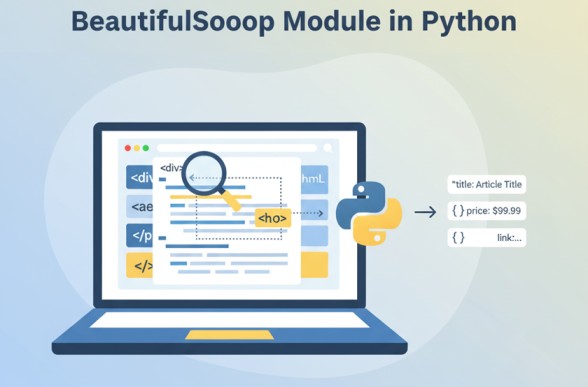
Let’s start!
1. What is BeautifulSoup?
BeautifulSoup is a Python library used to parse (read) HTML and extract required data from web pages.
It takes HTML code like this:
<h1 class="title">Welcome to Smart Tutorials</h1>
And makes it easy to search:
soup.find("h1")
or
soup.find("h1", class_="title")
BeautifulSoup is not a web downloader.
It only helps you parse HTML.
To download websites, we use:
requests(most common)urllib- browser automation tools like Selenium (for dynamic JavaScript sites)
2. Installing BeautifulSoup
Install with pip:
pip install beautifulsoup4
Optional (but recommended):
pip install requests
Now you are ready to begin.
Read More: Requests Module in Python
3. Understanding the Structure of an HTML Page
BeautifulSoup works best when you know how HTML is structured.
A simple webpage looks like:
<html>
  <head>
    <title>Sample Page</title>
  </head>

  <body>
    <h1>Heading</h1>
    <p class="description">This is a paragraph.</p>
    <a href="https://smarttejas.com">Visit Smart Tejas</a>
  </body>
</html>
Key things you will scrape:
- tags (
h1,p,a) - class attributes
- id attributes
- texts
- links (href)
- images (src)
4. Creating Your First BeautifulSoup Object
Example:
from bs4 import BeautifulSoup

html = """
<html>
  <body>
    <h1>Hello World</h1>
    <p>This is a test.</p>
  </body>
</html>
"""

soup = BeautifulSoup(html, "html.parser")
Now soup stores the whole HTML in a structured form.
Try printing it:
print(soup.prettify())
5. Parsing and Selecting HTML Elements
BeautifulSoup gives several functions:
5.1 find()
Returns the first matching element.
soup.find("h1")
5.2 find_all()
Returns all matching elements.
soup.find_all("p")
5.3 Find by class
soup.find("p", class_="description")
5.4 Find by id
soup.find("div", id="main")
5.5 CSS selectors (select and select_one)
soup.select("div.article h2.title")
Super powerful and used in advanced scraping.
6. Extracting Text and Attributes
6.1 Extract text
title = soup.find("h1").text
or
title = soup.find("h1").get_text(strip=True)
6.2 Extract attribute (like href)
link = soup.find("a")["href"]
Example:
<img src="image.jpg" alt="Smart Tutorials Logo">

soup.find("img")["src"]
7. Web Scraping with Requests + BeautifulSoup
This is the most common pattern:
import requests
from bs4 import BeautifulSoup

url = "https://example.com"
response = requests.get(url)

soup = BeautifulSoup(response.text, "html.parser")
Extract Title
title = soup.find("title").text
print(title)
8. Full Practical Example: Scraping Articles
Imagine you want to scrape articles from a blog:
import requests
from bs4 import BeautifulSoup

url = "https://smarttejas.com"
response = requests.get(url)
soup = BeautifulSoup(response.text, "html.parser")

articles = soup.find_all("h2", class_="post-title")

for item in articles:
    print(item.text)
9. Extracting Links from a Page
links = soup.find_all("a")

for link in links:
    print(link.text, " -> ", link.get("href"))
10. Scraping Tables (Important for MIS & Data Analysis)
Most MIS reports online appear as HTML tables.
Example:
table = soup.find("table")

rows = table.find_all("tr")

for row in rows:
    cols = row.find_all("td")
    cols = [c.text.strip() for c in cols]
    print(cols)
This is extremely useful for:
- Government data scraping
- Policy scraping
- Sales tables
- Incentive data
- Dashboard automation
11. Scraping Pagination (Multiple Pages)
Many websites show:
- Page 1
- Page 2
- Page 3
Example:
base = "https://example.com/page="

for page in range(1, 6):
    url = base + str(page)
    response = requests.get(url)
    soup = BeautifulSoup(response.text, "html.parser")

    items = soup.find_all("div", class_="product")

    for item in items:
        print(item.text)
Pagination scraping is essential when:
- Collecting training datasets
- Scraping multiple articles
- Gathering product reviews
- Making datasets for fine-tuning Tejas AI
12. Saving Scraped Data to CSV
import csv

with open("data.csv", "w", newline="", encoding="utf-8") as f:
    writer = csv.writer(f)
    writer.writerow(["Title", "Link"])

    for a in soup.find_all("a"):
        writer.writerow([a.text, a.get("href")])
13. Handling Errors and Exceptions
Try/Except
try:
    price = soup.find("span", class_="price").text
except:
    price = None
Read More: Error Handling in Python
Common errors:
| Error | Meaning |
|---|---|
NoneType has no attribute | item not found |
requests.exceptions.ConnectionError | website offline |
requests.exceptions.Timeout | page taking too long |
| Blocked by website | need headers or Selenium |
14. Adding Headers to Avoid Blocks
Many websites block bots.
Add browser-like headers:
headers = {
    "User-Agent": "Mozilla/5.0 (Windows NT 10.0; Win64; x64)"
}

response = requests.get(url, headers=headers)
15. When NOT to Use BeautifulSoup
BeautifulSoup cannot scrape:
- JavaScript-rendered sites
- Dynamic content
- Sites behind login
- Sites blocking bots
For such cases, you must use:
- Selenium
- Playwright
- API endpoints
16. Creating Datasets for Fine-Tuning Tejas AI Using BeautifulSoup
You can build your own dataset like this:
Step 1: Scrape website or text
Step 2: Clean text
Step 3: Convert to JSONL
Step 4: Feed into fine-tuning pipeline
BeautifulSoup is perfect for:
- Scraping your Smart Tutorials articles
- Scraping coding examples
- Scraping MIS explanations
- Scraping Excel formula questions
- Scraping FAQ pages
Dataset Format Example (JSONL)
{"prompt":"What is VLOOKUP?","response":"VLOOKUP is used to lookup a value vertically..."}
{"prompt":"Write Python code for requests module.","response":"Here is a simple code example..."}
BeautifulSoup helps you extract:
- Titles
- Content
- Code blocks
- Tags
- Summaries
Then you prepare this content for fine-tuning.
Read More: JSON Module in Python
17. Real Example: Scraping Your Smart Tutorials Website
You can use this to build Tejas AI dataset:
import requests
from bs4 import BeautifulSoup

url = "https://smarttejas.com"
r = requests.get(url)
soup = BeautifulSoup(r.text, "html.parser")

posts = soup.select("h2.entry-title a")

for p in posts:
    print("Title:", p.text)
    print("URL:", p["href"])
Then for each URL, scrape:
- Title
- Main content
- Code
- Summary
- Tags
This becomes your fine-tuning dataset.
18. Cleaning Scraped Content
You may want to remove:
- Ads
- Navigation menus
- Sidebar
- Footer
BeautifulSoup functions like:
for unwanted in soup.select("header, footer, nav"):
    unwanted.decompose()
19. Conclusion
BeautifulSoup is one of the most powerful and beginner-friendly tools for web scraping in Python. With just a few lines of code, you can extract:
- Text
- Titles
- Tables
- Images
- Links
- Article content
It is perfect for:
- Creating datasets for fine-tuning Tejas AI
- Scraping content for Smart Tutorials
- MIS data extraction
- Data analysis and Excel reports
- Collecting JSONL training files
You now know everything—from basic parsing to advanced scraping and dataset creation. With this skill, you can automate content collection, build AI-ready datasets, and fully prepare for your fine-tuning pipeline.
What’s Next?
In the next post, we’ll learn about the OOPs in Python